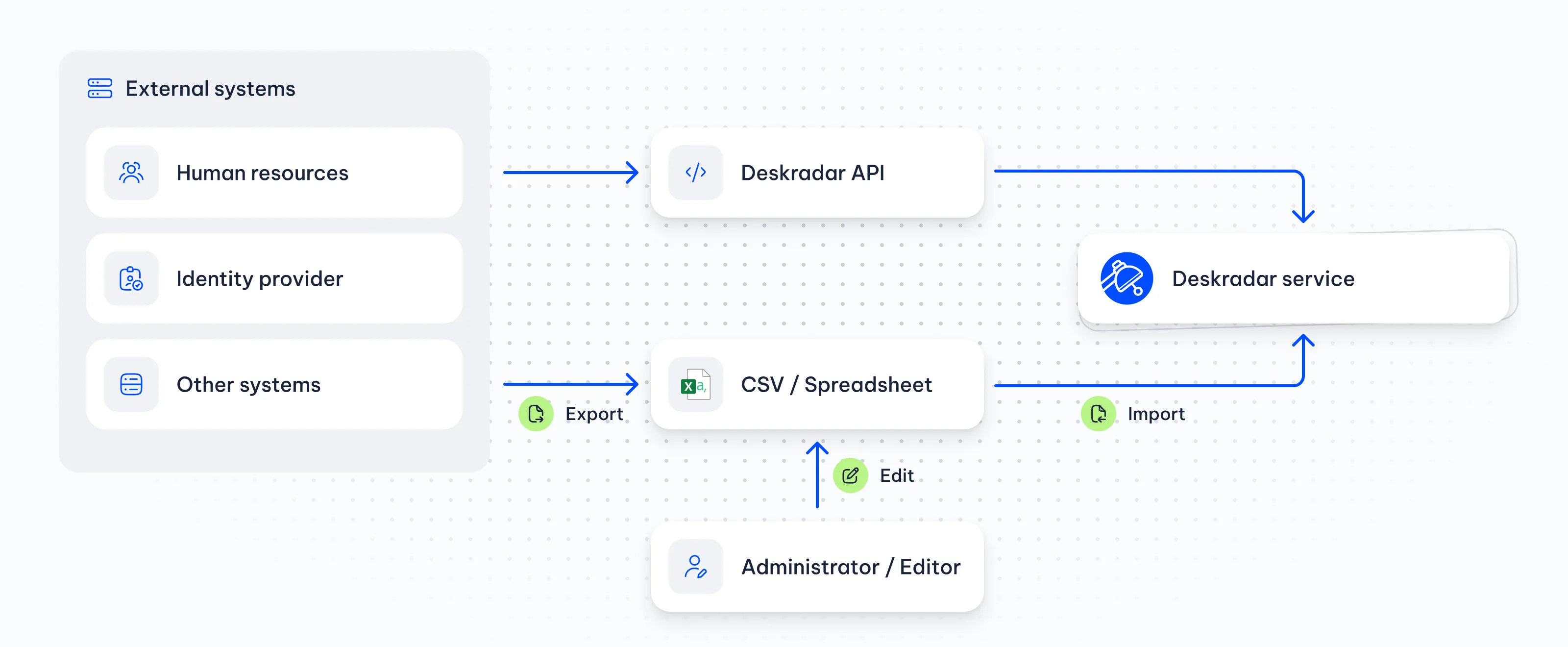
Floor plan preparation
Quick setup
Create a complete seating chart by uploading the floor plan, numbering desks and importing names and e-mails against those desk numbers.
- Step 1Upload the floor planUpload the floor plan to establish the office layout. It provides the background for the desks and seating assignments added next.Interactive seating charts & floor plans
- Step 2Mark and number desksMark each desk on the floor plan as a spare desk. Auto numbering gives the desks their numbers for the seating chart.Explore desks, rooms & resources
- Step 3Export, fill and importExport the desks as CSV and add names and e-mails against desk numbers. Import the completed file to update the floor plan with seating assignments.Read the import guide
Seating changes
Managing moves
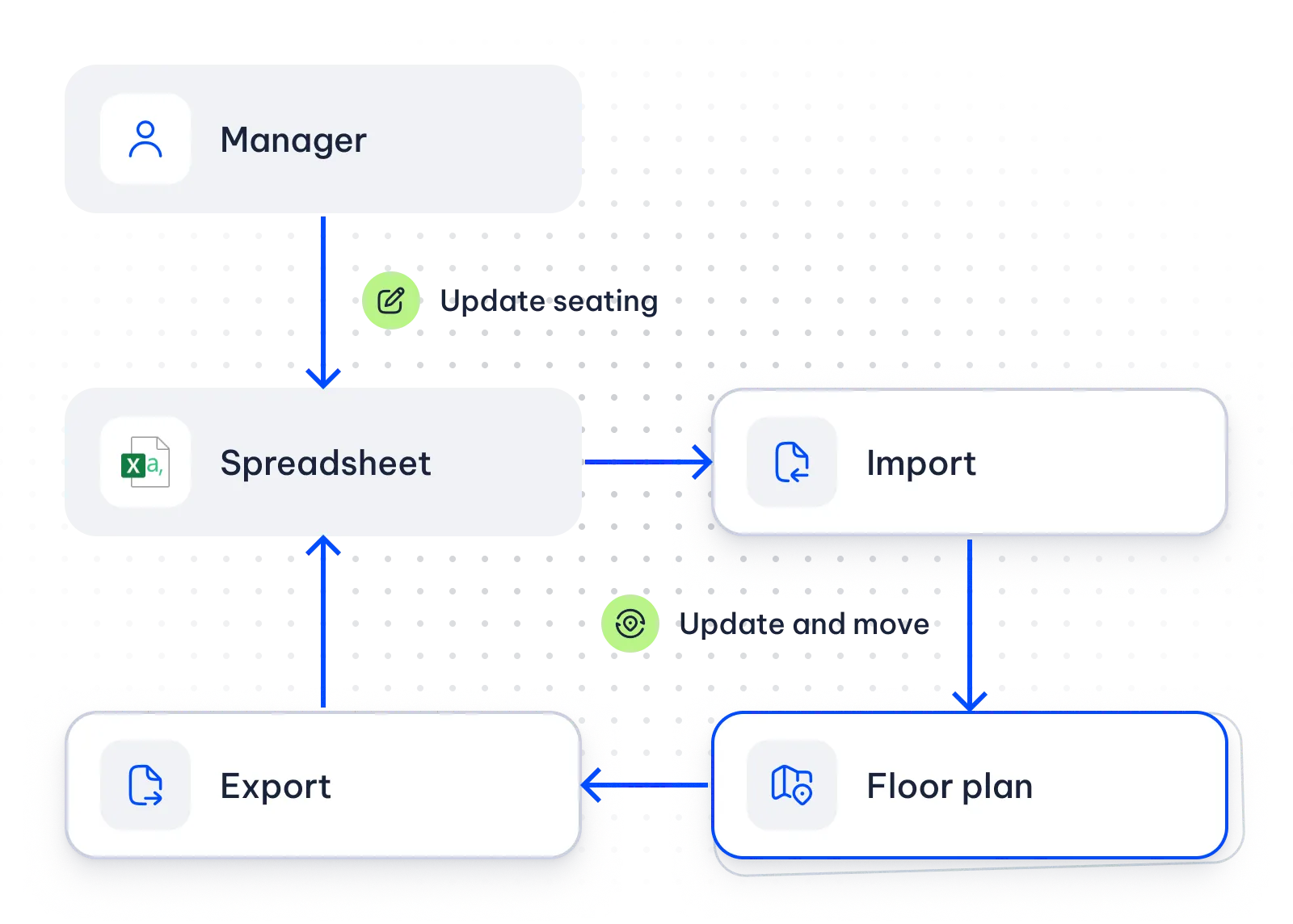
CSV updates keep seating assignments current as colleagues join, leave or change desks.
An entry with a desk number creates the corresponding seating assignment. An updated desk number changes the assignment and leaves the previous seat marked as a spare desk.
Removing an entry from the file and importing it clears the corresponding seating assignment, leaving a spare desk.
Profile information
Automatic data merging
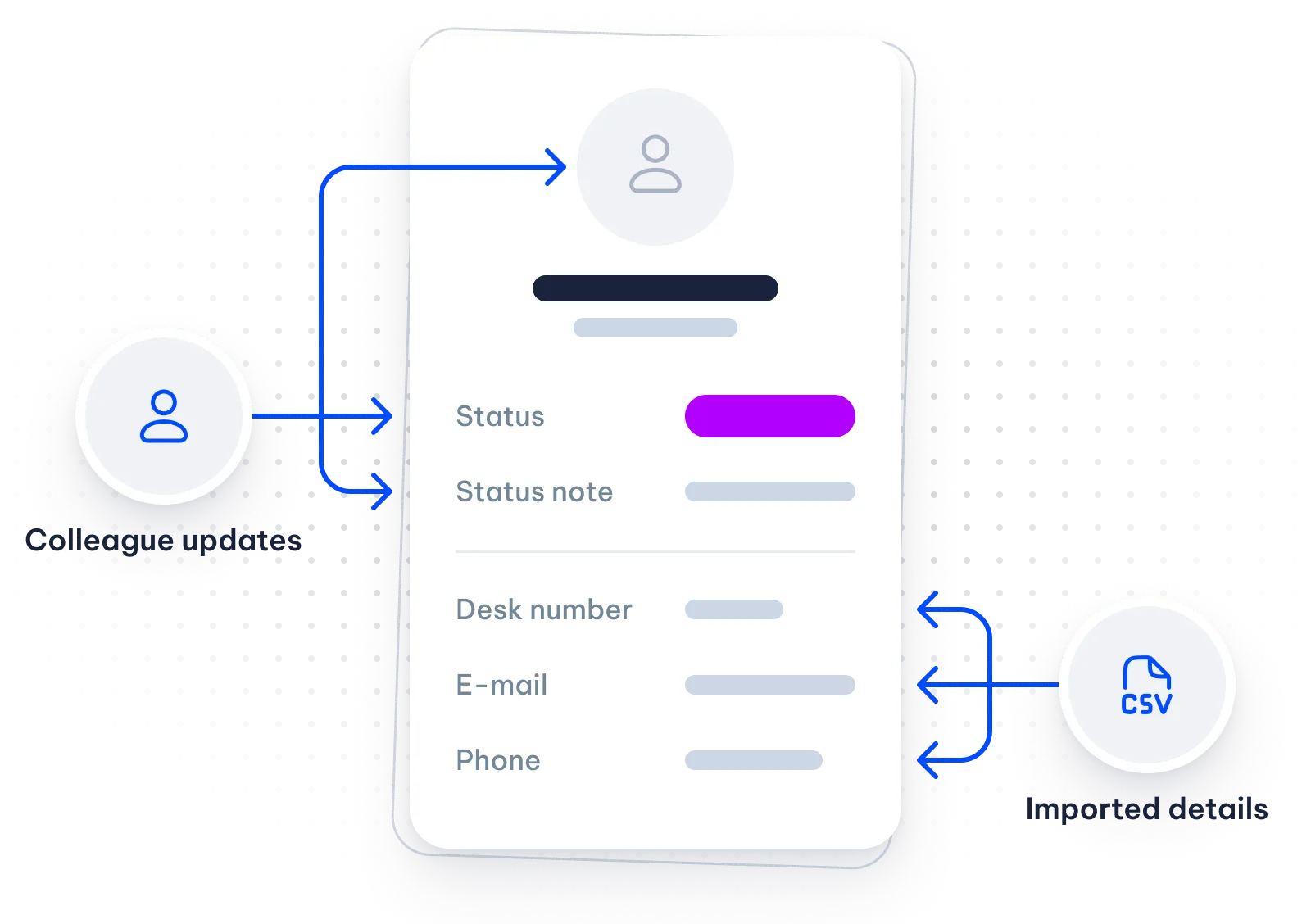
Imported contact and desk details stay alongside the updates colleagues make to their profiles.
An Administrator can enable colleagues to update their own status, status note and photo.
With merging enabled, imports update desk number, e-mail and phone while retaining those colleague updates.
Explore the staff directoryStaff information
Directory sync
The Deskradar LDAP companion updates staff records from the company directory, keeping colleague details and seating assignments current in Deskradar.
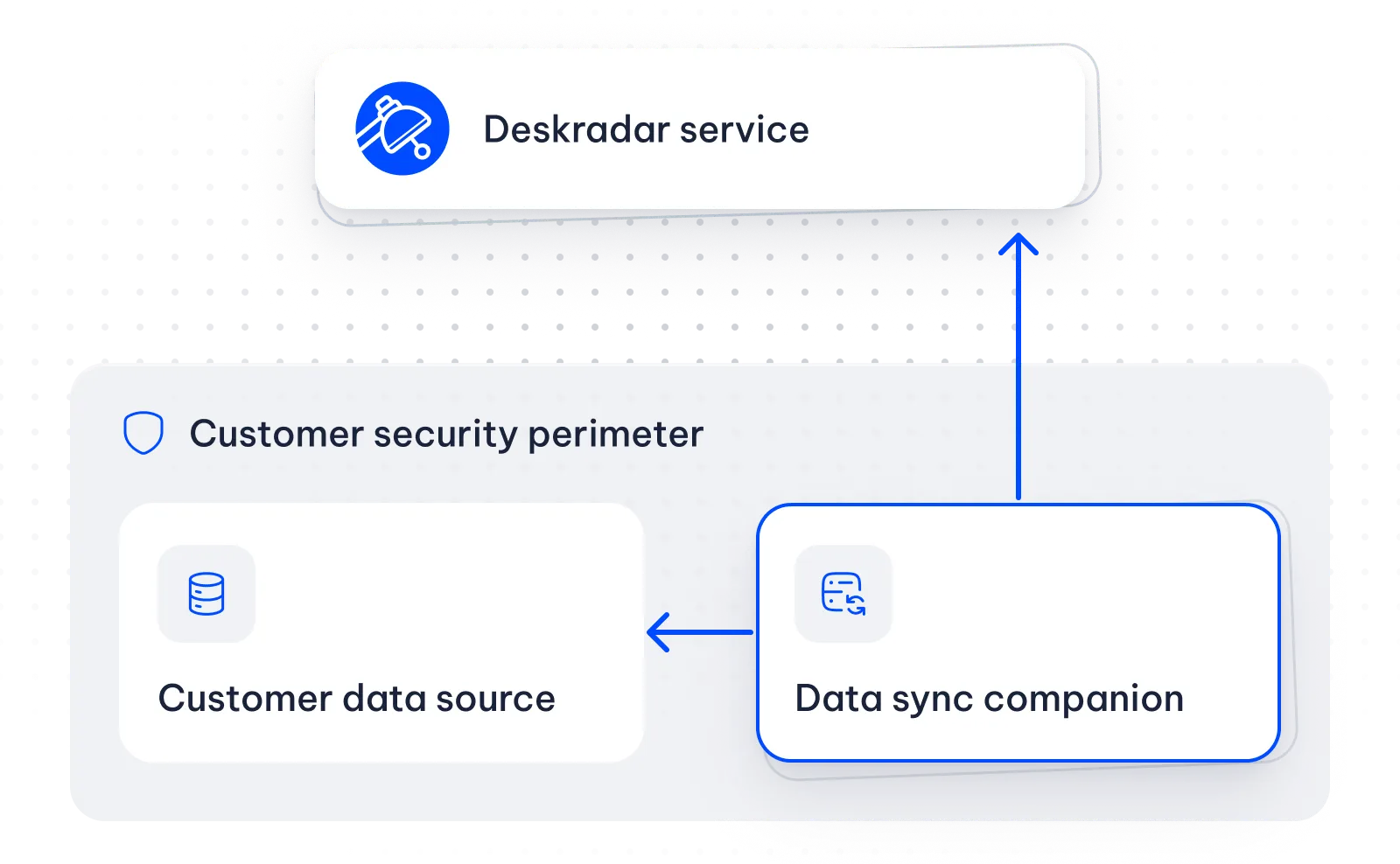
Company environment
The companion runs in the company’s environment on the organization’s schedule.
Directory fields
Directory attributes map to Deskradar fields, with filtering and transformation for selected entries.
Updates use the same record matching and import reports as file imports.
Contact sales about directory syncCustom integrations
API access
The REST API supports custom integrations across buildings, floors, staff, desks, rooms and resources.
- Building records
- Floor records
- Staff records
- Desk records
- Room records
- Resource records
REST API
List and search workplace records through the REST API, with counts and images available for company integrations.
Create, update or delete records, and apply changes in batches. Company systems can also import and export workplace records through the API.
Read the API referenceRelated
Staff directory
Import updates staff details and seating assignments in the staff directory.
Desks, rooms & resources
Import and export cover desk, room and resource records across selected office locations.
Security & access controls
Single sign-on provides a company sign-in option for colleagues accessing Deskradar.