Access controls
Roles and permissions
You assign roles to give people read access, editing rights or control over workspace settings.
Viewer
A Viewer searches and views floor plans, seating charts and the staff directory, without making changes.
Viewer permissions
- View-only access to buildings, floor plans, and staff directory
Editor
An Editor has Viewer access and edits maps. Editors place and move markers, update staff and desk records, and upload floor plans.
Editor permissions
- Everything viewer can
- Manage buildings, floor plans, seating and staff directory
Administrator
An Administrator has Editor access and manages users and roles, single sign-on, API keys and workspace settings.
Administrator permissions
- Everything editor can
- Configure application
- Manage users and API keys
Company sign-in
Single sign-on
Your team signs in through the company’s identity provider, so access follows the accounts the company already manages.
SAML compatibility
Deskradar uses SAML 2.0 for single sign-on and supports any identity provider that uses it. Setup guides cover Google Workspace, Microsoft Entra ID, ADFS and Okta.
Company access controls
Control access to Deskradar through the company’s identity provider, keeping access decisions with the accounts the company manages.
Single sign-on included
Single sign-on is included in the price, with no company size limit.






- Google Workspace
- Microsoft Entra ID
- Active Directory Federation Services
- Okta
- Ping Identity
- OneLogin
- JumpCloud
Customer data
Data protection
Data location
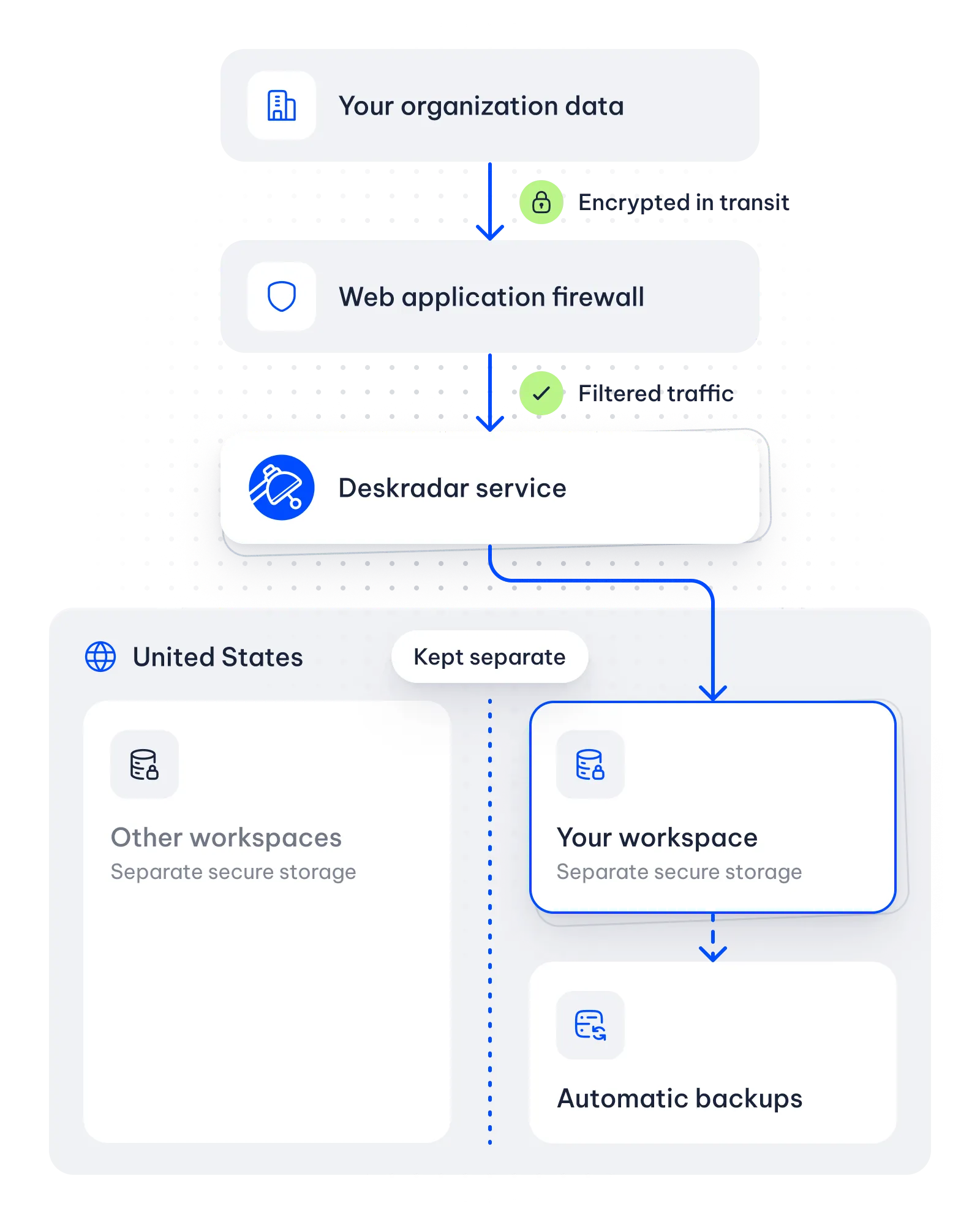
Deskradar stores customer data in the United States.
Encryption
Your data is encrypted in transit and at rest.
Automatic backups
Deskradar backs up customer data automatically.
Workspace separation
Your data is kept separate from other workspaces.
Security practices
Service security
Deskradar follows security best practices and industry standards to support a dependable service for your business.
Deskradar limits staff access, filters traffic and protects sign-in and password storage to help safeguard customer information. Service monitoring, automatic security updates and database replication support reliable operation.
Read the security policy- Limited staff access
- Web application firewall
- Sign-in protection
- Credentials leak monitoring
- Service monitoring
- Automatic security updates
- Database replication
- And much more
Related
Data sync & API
Import staff and desk records from company systems and connect those systems through API keys.
Staff directory
Find a colleague in the staff directory and view their assigned desk on the floor plan.
Buildings & campuses
Keep every building, floor and site your company runs in the same workspace.