People
Colleague profiles
Photos, contact details and office locations help your team recognize colleagues and reach the right person.
Identity and contact details
Photos and names help you recognize colleagues; role tags show job titles or departments. Notes and LinkedIn, X or website links add context. From the profile, e-mail links start messages, while phone links start calls, with office, mobile and additional numbers giving you ways to reach colleagues.
Desk location
Profiles show each colleague’s building, floor, desk number and position on the floor plan, with links to the floor and building. Each profile’s direct link opens after sign-in so your team can refer to the same person and desk.
Explore interactive floor plansPeople overview
Directory views
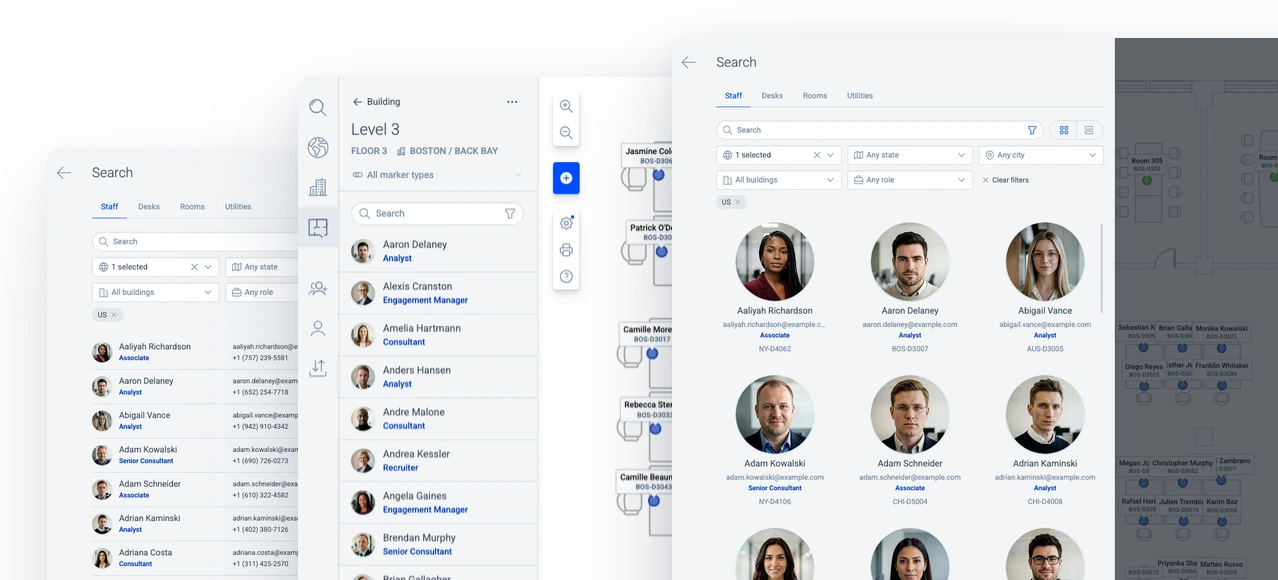
Tiles and table
Explore search & navigationTiles show colleagues individually, with a photo, name, role, contact detail and desk number. The compact table brings contact and location details into rows, with building, floor and desk number visible together. Both views support browsing colleagues, whether the starting point is a familiar face or an office location.
Availability
Colleague status
Colleague status provides context for calls, messages and office visits.
Available
An Available status indicates a colleague is in the office, with an optional note for added context.
Remote
A Remote status indicates a colleague is working from home and appears in their profile and directory.
Unavailable
An Unavailable status indicates a colleague is away, such as on vacation, with an optional note.
Access controls
Profile updates
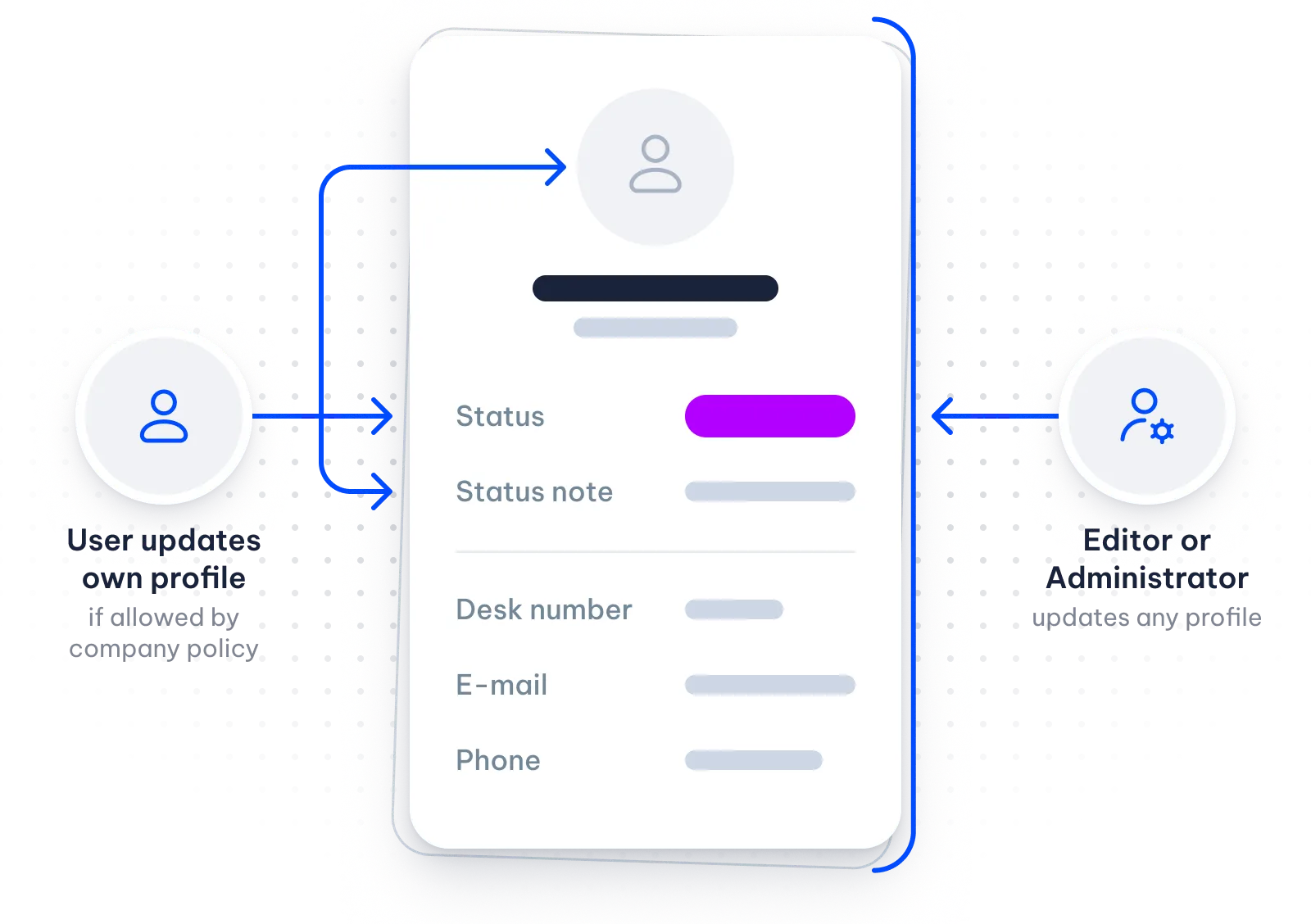
Editors and Administrators edit profiles; every signed-in user, including Viewers, can view the whole staff directory.
Update individual profiles or use bulk updates to change job titles, contact details and desk locations together.
Sign-in keeps profiles and their links within the workspace.
Explore security & access controls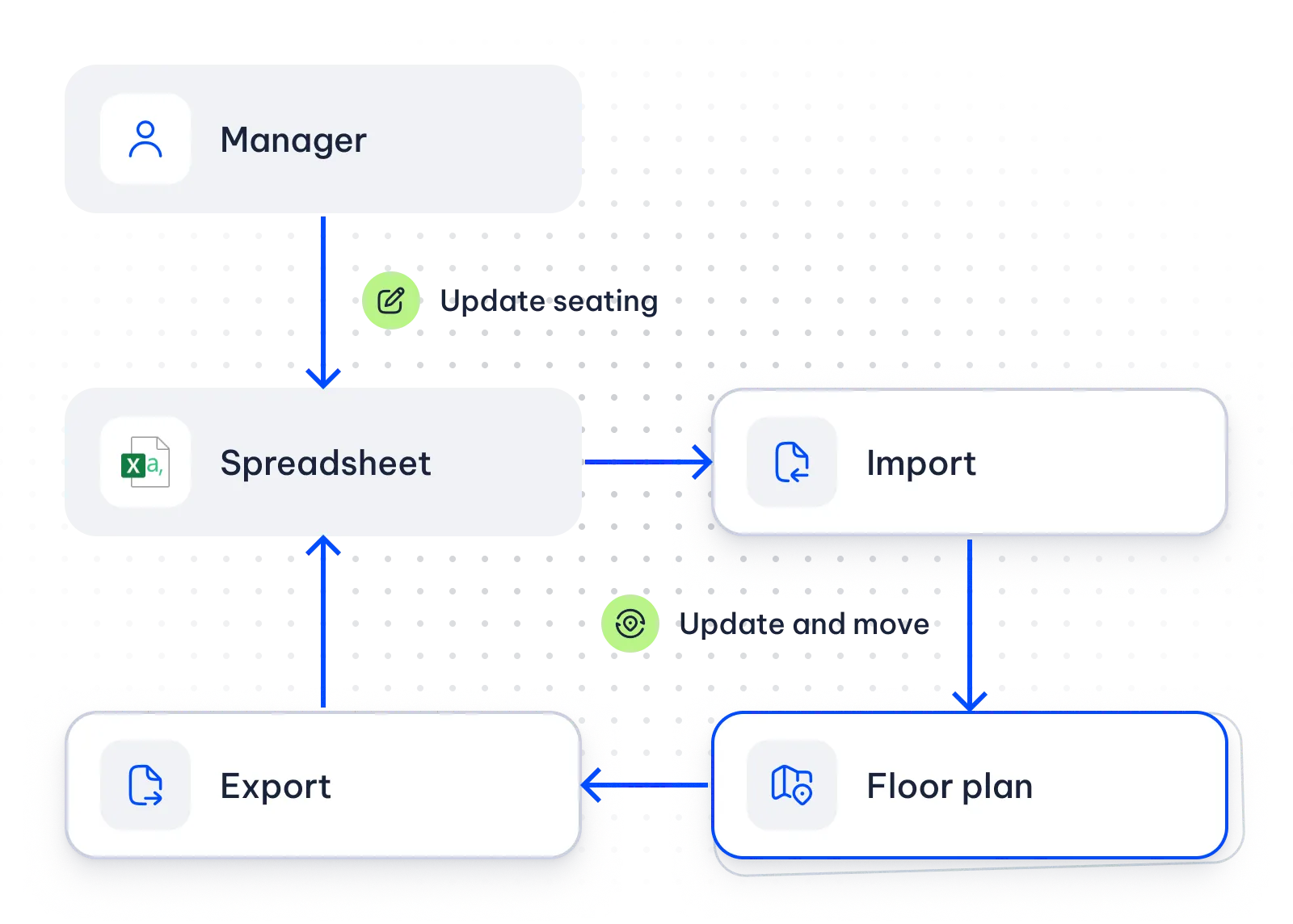
Company data
Current staff details
Import keeps colleague profiles and desk locations current with company data.
Directory data can also come from the company’s LDAP directory. The API connects other company systems through API keys.
Explore data sync & APIContact salesRelated
Interactive seating charts & floor plans
Floor plans show each colleague’s desk location alongside their profile details.
Search & navigation
Search finds colleagues by name, role, contact details or office location.
Data sync & API
Import and connections through LDAP or the API update staff records from company data.